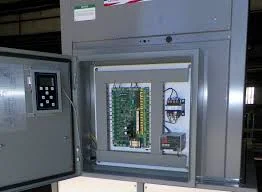
Optimizing Tridium Niagara N4 JACE performance to prevent 95%+ CPU spikes and Watchdog reboots in critical BAS infrastructure.
Direct Engineering Summary
Sluggish Niagara N4 JACE controllers exhibiting high CPU and heap memory usage, often leading to Watchdog reboots, are typically caused by unconstrained Change-of-Value (COV) storms, overly aggressive 1-second trend intervals, unsubscribed PX graphics, or SD card wear. Western Mechanical, Inc. (CSLB #618138) employs UA Local 250 journeymen to diagnose and implement solutions such as optimizing history configurations, adjusting poll rates, and validating subscription management to maintain CPU loads below 70% and heap memory utilization under 80%, ensuring stable Building Automation System operation. Contact us at (661) 251-0111.
Engineering Tolerances & Governing Standards
Parameter
Specification
Standard
Target CPU Utilization (JACE)
< 70% sustained
Tridium Best Practices
Target Heap Memory Utilization (JACE)
< 80% sustained
Tridium Best Practices
COV Delta Threshold (Analog)
Min. 0.5% of span
ASHRAE Guideline 13
History Trend Interval (Typical)
Min. 60 seconds (non-critical)
ASHRAE Guideline 13
SD Card Wear Level
< 75% utilized
JACE Hardware Specification
Diagnosing High CPU and Heap Memory in Niagara N4 JACE
The primary indicators of a struggling Niagara N4 JACE controller are persistent CPU utilization exceeding 90% and heap memory consistently above 85%, often culminating in Watchdog reboots that disrupt building operations. These performance bottlenecks frequently stem from an uncontrolled influx of data, such as Change-of-Value (COV) storms where many points update simultaneously without adequate delta thresholds. Aggressive 1-second trend logging on numerous points, particularly those with high volatility, can rapidly saturate the JACE's processing capabilities and exhaust its limited memory resources, leading to system instability and unresponsive user interfaces.
Another significant contributor to JACE performance degradation is the mismanagement of PX graphics subscriptions. Unsubscribed or improperly configured graphics can continuously poll for data that isn't actively displayed, creating unnecessary network traffic and CPU load. Additionally, the physical wear and tear on the JACE's internal SD card, which stores system data and histories, can manifest as slow read/write speeds, contributing to overall system sluggishness. Identifying the root cause requires a systematic approach, analyzing station logs, resource monitors, and network traffic to pinpoint the exact source of the performance drain.
Optimizing History Configurations and Poll Rates
Effective resolution of high CPU and heap memory issues often begins with a thorough review and optimization of history configurations. Reducing the frequency of trend logs from 1-second intervals to more practical durations, such as 60 seconds or 5 minutes for non-critical points, significantly reduces data volume and processing overhead. Implementing appropriate COV delta thresholds is crucial; for instance, setting a 0.5% change for analog inputs prevents minor fluctuations from triggering unnecessary updates. This targeted approach ensures that only meaningful data changes are recorded, preserving JACE resources and extending the lifespan of storage components.
Beyond history tuning, adjusting poll rates for points that do not require real-time updates can yield substantial performance gains. For example, scheduling occupancy sensors or lighting status points to poll every 30-60 seconds instead of every second dramatically lessens the JACE's workload. Western Mechanical, Inc. leverages deep expertise in Niagara N4 architecture to meticulously analyze and reconfigure these parameters, balancing data fidelity with system stability. This proactive optimization minimizes the risk of Watchdog reboots, ensuring continuous and reliable BAS operation for critical facilities in Southern California.
Advanced Diagnostics and Preventative Maintenance
For persistent or intermittent performance issues, advanced diagnostics are essential. This includes utilizing the JACE's built-in resource monitors to track CPU, heap memory, and network utilization in real-time, identifying spikes correlated with specific events or times of day. Analyzing the station's audit logs can reveal user actions or programming changes that might have inadvertently introduced performance bottlenecks. Furthermore, inspecting the health of the JACE's internal SD card for wear-leveling statistics is critical, as a failing card can mimic other performance problems and necessitate replacement to restore optimal operation.
Preventative maintenance strategies are paramount to sustain long-term Niagara N4 JACE stability. Regular review of history configurations, periodic audits of PX graphic subscriptions, and ensuring all unnecessary modules are disabled contribute to a lean and efficient system. Western Mechanical, Inc.'s UA Local 250 journeymen are adept at implementing these best practices, providing comprehensive BAS health checks and proactive tuning services. This approach not only resolves immediate performance issues but also establishes a resilient, high-performing Building Automation System, reducing operational costs and extending the useful life of your infrastructure.
UA Local 250 Certified Field Diagnostic & Commissioning Protocol
Verify JACE CPU and Heap Memory utilization via Platform > Application Director > Resource Manager, targeting <70% CPU and <80% Heap.
Review all history extensions for trend intervals; identify and adjust any 1-second trends to 60+ seconds for non-critical points.
Audit all Change-of-Value (COV) points for proper delta thresholds (e.g., 0.5-1.0% for analog inputs) to prevent COV storms.
Inspect PX graphics for unsubscribed or orphaned links causing continuous polling; remove or re-subscribe as needed.
Check JACE SD card health and wear level via Platform > File Transfer Client > Diagnostics, ensuring sufficient remaining life.
Facility Director & Chief Engineer FAQs
What causes a Niagara N4 JACE to reboot unexpectedly?
Unexpected JACE reboots, often termed Watchdog reboots, are typically triggered by sustained high CPU utilization (over 95%) or heap memory exhaustion. Common culprits include excessive trend logging, unoptimized COV settings, or corrupted database files, indicating the system is overwhelmed and cannot recover gracefully.
How do I identify which points are causing high JACE CPU load?
To identify problematic points, use the JACE's built-in Resource Manager to monitor CPU and heap usage. Cross-reference spikes with the Station Log for recent changes or alarms. Analyzing the 'History Config' view can reveal overly aggressive trend intervals or COV settings on specific points that are generating excessive data.
What is the impact of a full SD card on JACE performance?
A full or nearly full SD card on a JACE can severely degrade performance, leading to slow data writes, unresponsive interfaces, and even system crashes. It prevents new history data from being stored and can corrupt existing files, necessitating replacement or aggressive history pruning to restore functionality.
Can older Niagara N4 versions contribute to performance issues?
Yes, older Niagara N4 versions may lack critical performance optimizations, bug fixes, or security patches present in newer releases. Upgrading to the latest stable N4 build often resolves known memory leaks, improves CPU efficiency, and enhances overall system stability, especially for JACEs managing large point counts.
Acton Headquarters & 24/7 Southern California Dispatch
Western Mechanical, Inc. • 2210 Soledad Canyon Road, Suite O, Acton, CA 93510 • Primary Phone: (661) 251-0111 • 24/7 Toll-Free: (800) 585-5085 • CSLB #618138 (C-20, C-38, C-4)